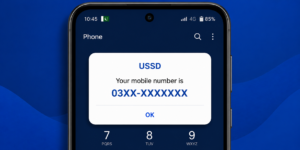
We have all been there — someone asks for your number and you just go blank. Or you just got a new SIM and forgot to save the number. It happens more than you think. The good news is that checking your own mobile number in Pakistan takes less than 10 seconds. No internet needed. No customer care call. Just a simple USSD code and your number appears on screen.
In this guide, you will learn 5 easy ways to check your own mobile number on all major networks in Pakistan — Jazz, Telenor, Zong, Ufone, and SCOM.
1. Check Your Own Mobile Number on Jazz
Jazz is the largest mobile network in Pakistan, and checking your number on Jazz is super simple. You do not need any app or internet connection. Just open your phone dialer and type a short code.
Jazz Number Check Code:
*99#
Steps to follow:
- Open your phone dialer
- Type *99#
- Press the call button
- Your Jazz number will appear on screen instantly
This code works on all Jazz SIMs including Warid SIMs (since Warid merged with Jazz). No balance is required to use this code.

2. Check Your Own Mobile Number on Telenor
Telenor Pakistan users can also check their number with a quick USSD code. It works the same way — no internet, no balance needed.
Telenor Number Check Code:
*345*1009#
Steps to follow:
- Open your phone dialer
- Dial *345*1009#
- Press call
- A pop-up message will show your Telenor number
If this code does not work, you can also call Telenor helpline at 345 and ask them to confirm your number. But honestly, the USSD code is much faster.
3. Check Your Own Mobile Number on Zong
Zong is Pakistan’s biggest 4G network and their number check code is just as easy to use.
Zong Number Check Code:
*100#
Steps to follow:
- Open your dialer app
- Type *100#
- Hit the call/dial button
- Your Zong number will pop up on screen
Zong also has an app called My Zong where you can see your number after logging in. But the USSD code above is the fastest method with no login required.
4. Check Your Own Mobile Number on Ufone
Ufone users have a slightly different code but it works the same way — dial and your number appears.
Ufone Number Check Code:
*780*3#
Steps to follow:
- Open your phone dialer
- Type *780*3#
- Press the call button
- Your Ufone mobile number will be displayed
Another option is to send a blank SMS to 667 and Ufone will reply with your number. But the USSD code above is quicker and costs nothing.
5. Check Your Own Mobile Number on SCOM
SCOM (Special Communications Organization) is the network used in Azad Kashmir and Gilgit-Baltistan. If you are using SCOM, here is how to check your number.
SCOM Number Check Code:
*123#
Steps to follow:
- Open your dialer
- Dial *123#
- Press call
- Follow the menu options to find your number
SCOM coverage is limited to AJK and GB regions, but the process is the same as other networks.
Extra Tips for Dual SIM Users
If you have a dual SIM phone, things can get a little confusing. Here are some tips to avoid mistakes:
- Check which SIM slot you are dialing from — most Android phones let you choose SIM 1 or SIM 2 before dialing
- Label your SIMs in phone settings — go to Settings → SIM Cards and name them (e.g., “Jazz Personal” and “Zong Data”)
- Dial the USSD code separately for each SIM — the code only shows the number for the SIM you are using to dial
- Save both numbers in your own contacts — create a contact called “My Numbers” with both SIM numbers saved
This small habit will save you a lot of confusion later, especially when someone asks for a specific number and you have two SIMs active.
Frequently Asked Questions
Can I check my mobile number without balance?
Yes. All the USSD codes listed above are completely free. You do not need any balance to check your own mobile number on Jazz, Telenor, Zong, or Ufone.
What if the USSD code is not working?
Sometimes USSD codes stop working due to network updates. If a code does not work, call your network’s helpline — Jazz: 111, Telenor: 345, Zong: 310, Ufone: 333. They will help you out.
Can I check my number from the SIM tray?
Standard SIM cards in Pakistan do not have the number printed on them. You need to dial the USSD code or check your original SIM packaging if you still have it.
Is there an app to check my mobile number?
Yes. Jazz World, My Telenor, My Zong, and Ufone apps all show your mobile number once you log in. But using the USSD code is faster since it requires no login.
What if I have a new SIM and the code is not working yet?
New SIMs sometimes take a few hours to fully activate. Wait 2-3 hours after buying the SIM and try the code again. If it still does not work, visit the nearest franchise of your network.
Final Words
Now you know exactly how to check your own mobile number in Pakistan on every network. Whether you are on Jazz, Telenor, Zong, Ufone, or SCOM — it takes less than 10 seconds with the right USSD code. Bookmark this page so you never have to Google it again.
And if you found this guide useful, check out our article on how to check remaining MBs in Pakistan — another quick tip that every Pakistani mobile user should know.
For more details about Jazz USSD codes, you can visit the official Jazz Pakistan website.